|
<< Click to Display Table of Contents >> BookedSolid |
  
|
|
<< Click to Display Table of Contents >> BookedSolid |
|
WhisperReporter Ascent integrates with BookedSolid which is used for scheduling inspections and hosting inspection reports. Integration includes support for downloading inspection date, client, property, realtor, services and fee information. To configure the use of BookedSolid, refer to the section on BookedSolid Configuration.
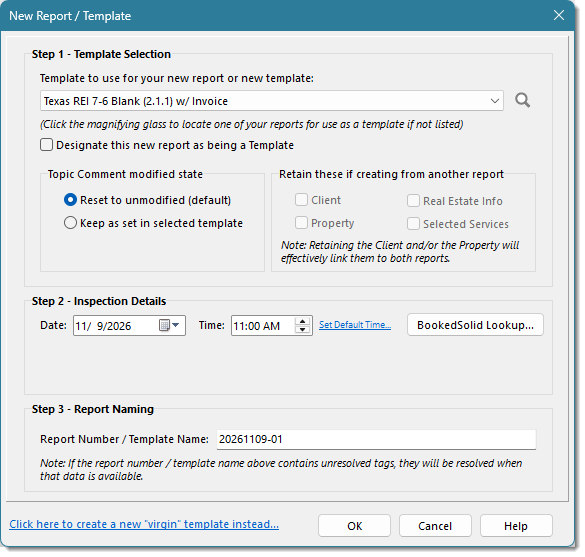
To create a new report in WhisperReporter Ascent using a BookedSolid booking, you will click the [BookedSolid Lookup...] button in the New Report dialog:
This will invoke a dialog showing a list of BookedSolid bookings to choose from:
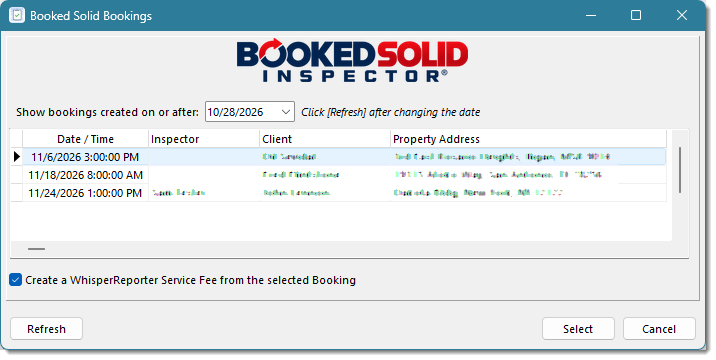
The first time this dialog is invoked, the "Show bookings created on or after" is 14 days prior to the current date. If you change that date, the default days prior will be calculated based on the difference between the date selected and the current date, then used next time the dialog is invoked. Also, if you change the date, you must click the [Refresh] button to update the grid. The selected booking will be used to pull various inspection details into the new WhisperReporter Ascent report. Note: Clicking the BookedSolid logo will take you to their booking portal if desired.
In addition to picking the booking to use, you can optionally create the service and fee in WhisperReporter Ascent that had been set up in the BookedSolid booking.
Once a booking is selected, you are returned back to the New Report dialog to review.
See also: